Meloverse DJ Studio is Mac and Windows software for wedding and private-event DJs: it plans the night hour by hour from the music the DJ already owns, keeps the music going when needed and drives the screen in the room — upstream of rekordbox, Serato or Traktor, never instead of them.
The kit holds the icon (32 to 512 px), six real HD screenshots in English and French, a light image (under 300 KB) and the factsheet as text. Information checked on 4 October 2026.
Meloverse DJ Studio — version 1.0.7 (October 2026)
Who it is for
Wedding and private-event DJs, event professionals, and people running a party without being DJs; a venue mode (bar, restaurant, hotel, campsite) is part of the Pro plan.
Platforms
macOS 11 Big Sur or later (Apple Silicon and Intel, app notarised by Apple) · Windows 10 and 11, 64-bit
Languages
English, French, Spanish
Free version
2 events, no card, no account
Standard
€12 a month · €120 a year · €150 for life
Pro
€24 a month · €240 a year · €250 for life
Trial
14 days on subscriptions (card required, nothing charged if cancelled before the end). Prices in euros, tax included, updates included.
Publisher
Meloverse Production — Jérémy Colonna, Perpignan, France. Made by a working event DJ.
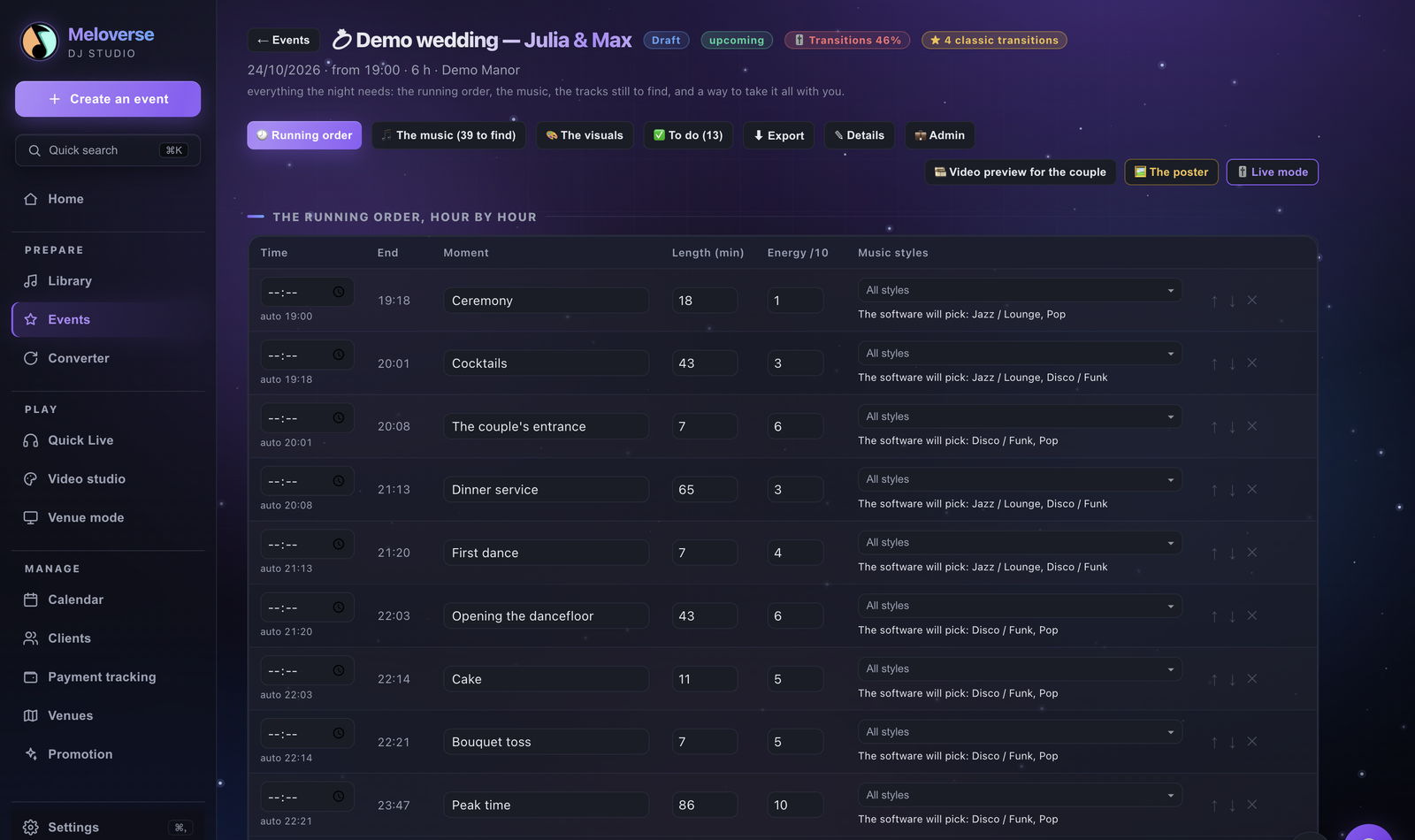
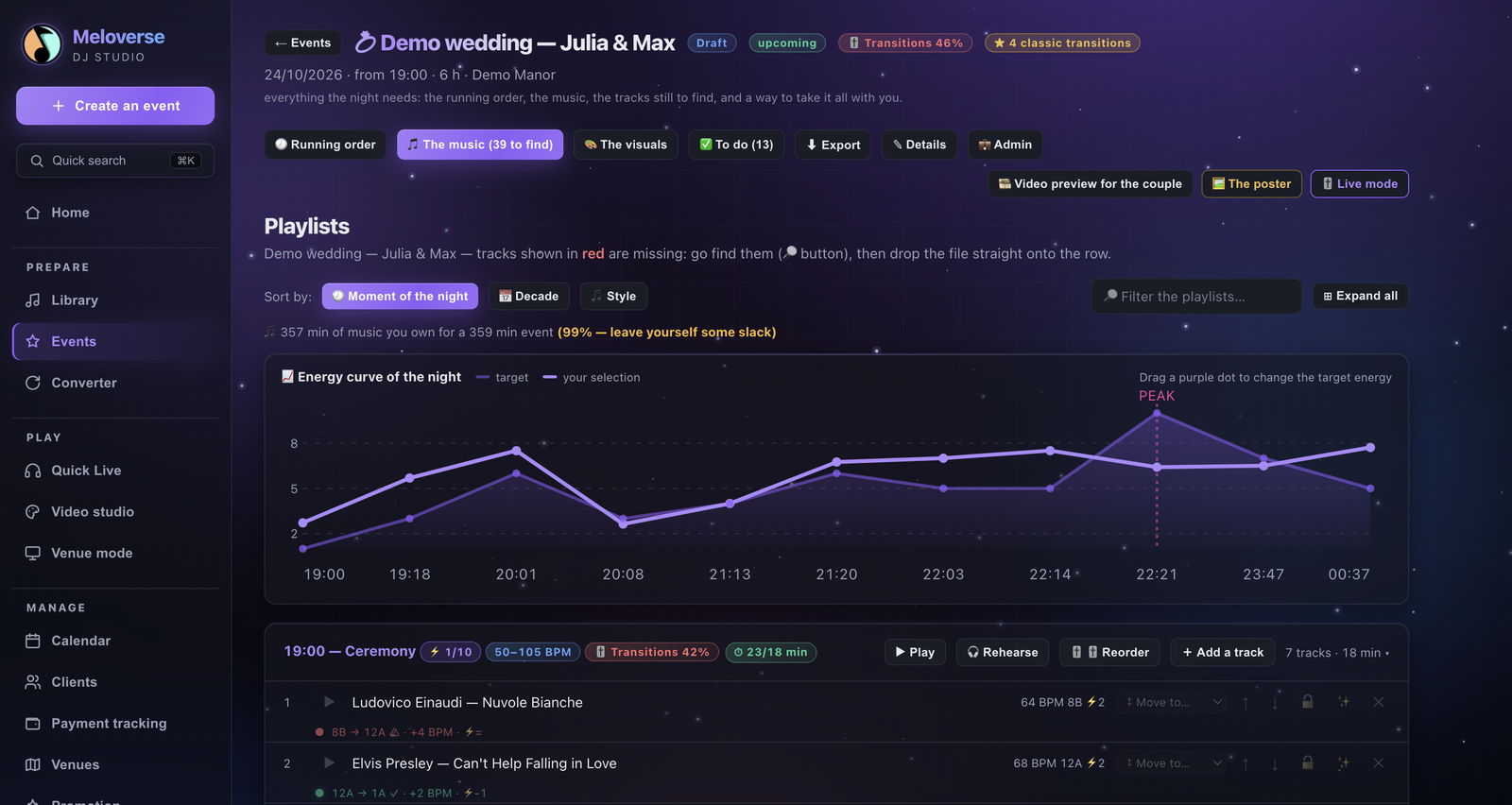
The type of event and its start time are enough: the hour-by-hour running order builds itself, each moment gets tracks from the DJ's own library, with the energy curve, a score for every transition (tempo, key, energy) and the list of what is missing.
Free version: built from the library. AI-built nights: paid plans — the free version never calls the AI.
It works with the DJ's own software
Native exports to rekordbox (.xml), Traktor (.nml) and Serato DJ (.crate), beatgrid and mix points included; M3U and CSV for everyone. A Spotify, Apple Music or Deezer playlist link is checked against the library: what the DJ owns, what is missing, and an .m3u8 file to import.
rekordbox, Traktor and Serato exports: Standard plan. M3U and CSV: free version included.
Automix as a safety net
Tempo locked, compatible keys, transitions on the bar (cut, 4, 8, 16 or 32 beats), suggestions ranked by compatibility, and a panic button that rescues the dancefloor with a more energetic track. The DJ takes back control at any time.
The room screen
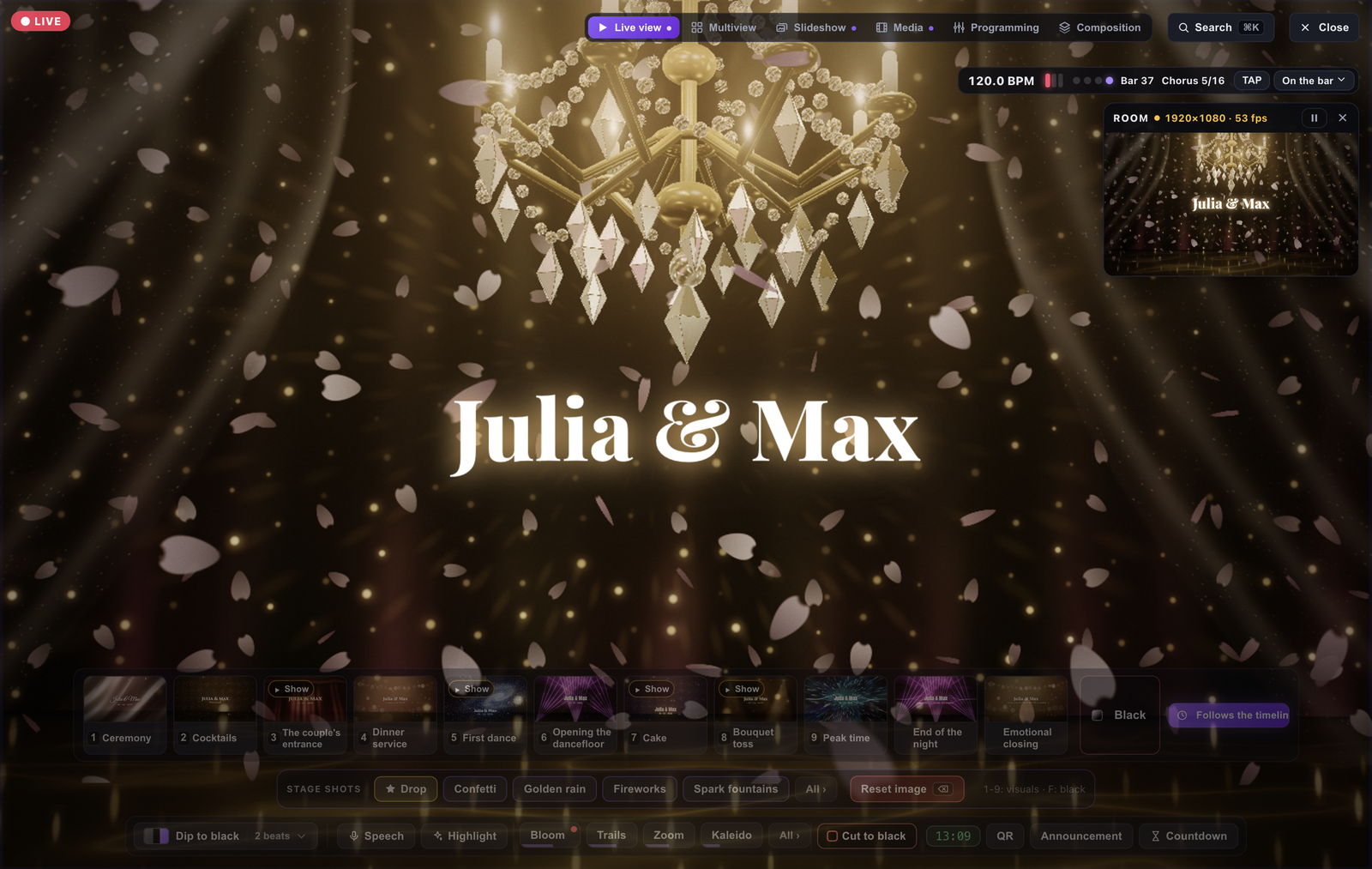
Audio-reactive visuals: six 3D scenes, eight light shows locked to the bars (never a full-screen flash), real moving landscapes, three wedding scenes. The projector is detected as soon as it is plugged in, and the preview gives way first, never the room screen.
Visualiser in the free version; full video studio in the Pro plan.
A wedding's big moments PRO
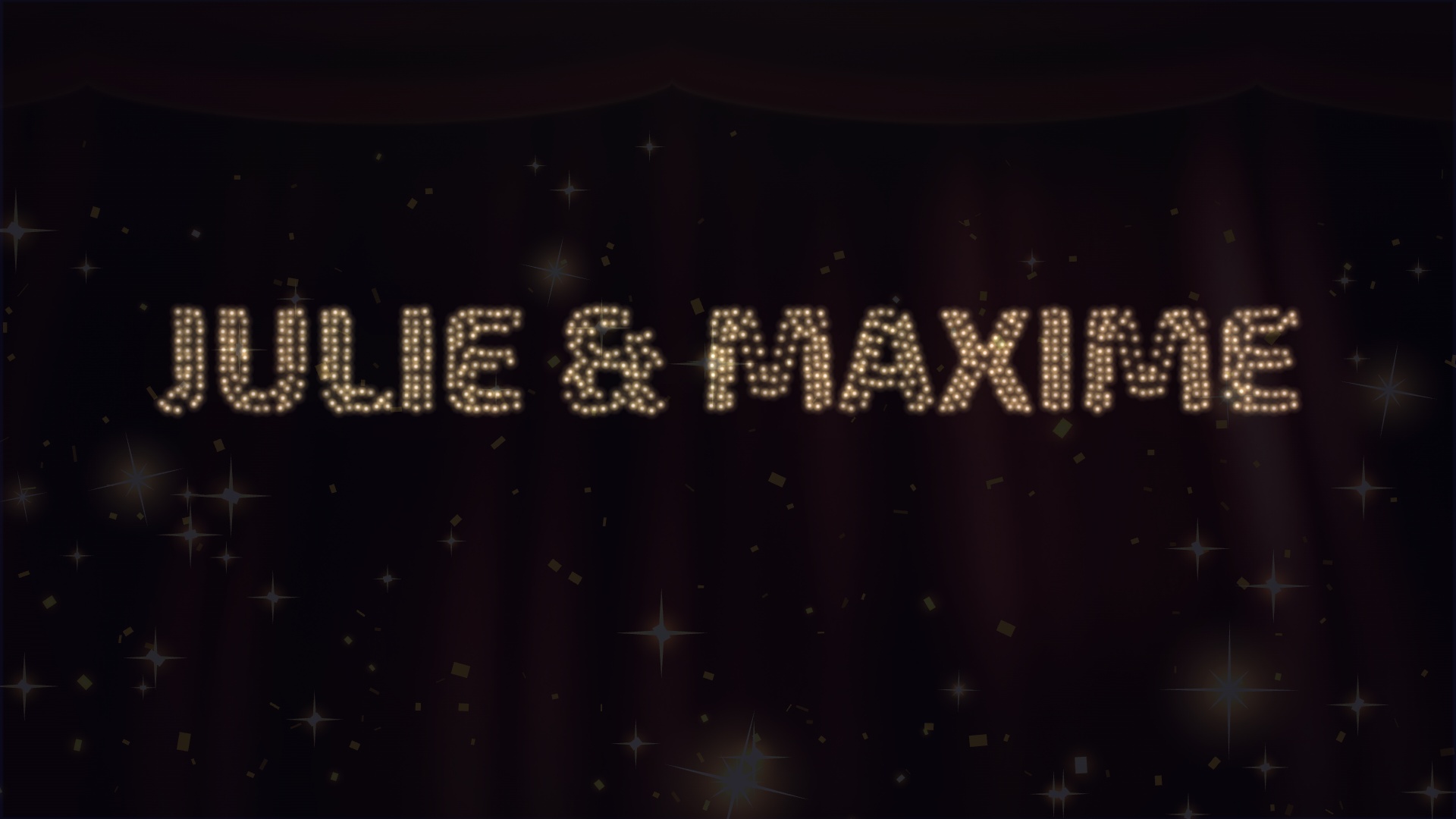
The grand entrance (blackout, light, the couple's names, a golden rain, then an animation of light drones spelling out their names), the “Cheers to the newlyweds” countdown, a speech lower third with the music ducking, a “Photo!” 3 · 2 · 1, and the evening's schedule in one click.
Guest photos, moderated PRO
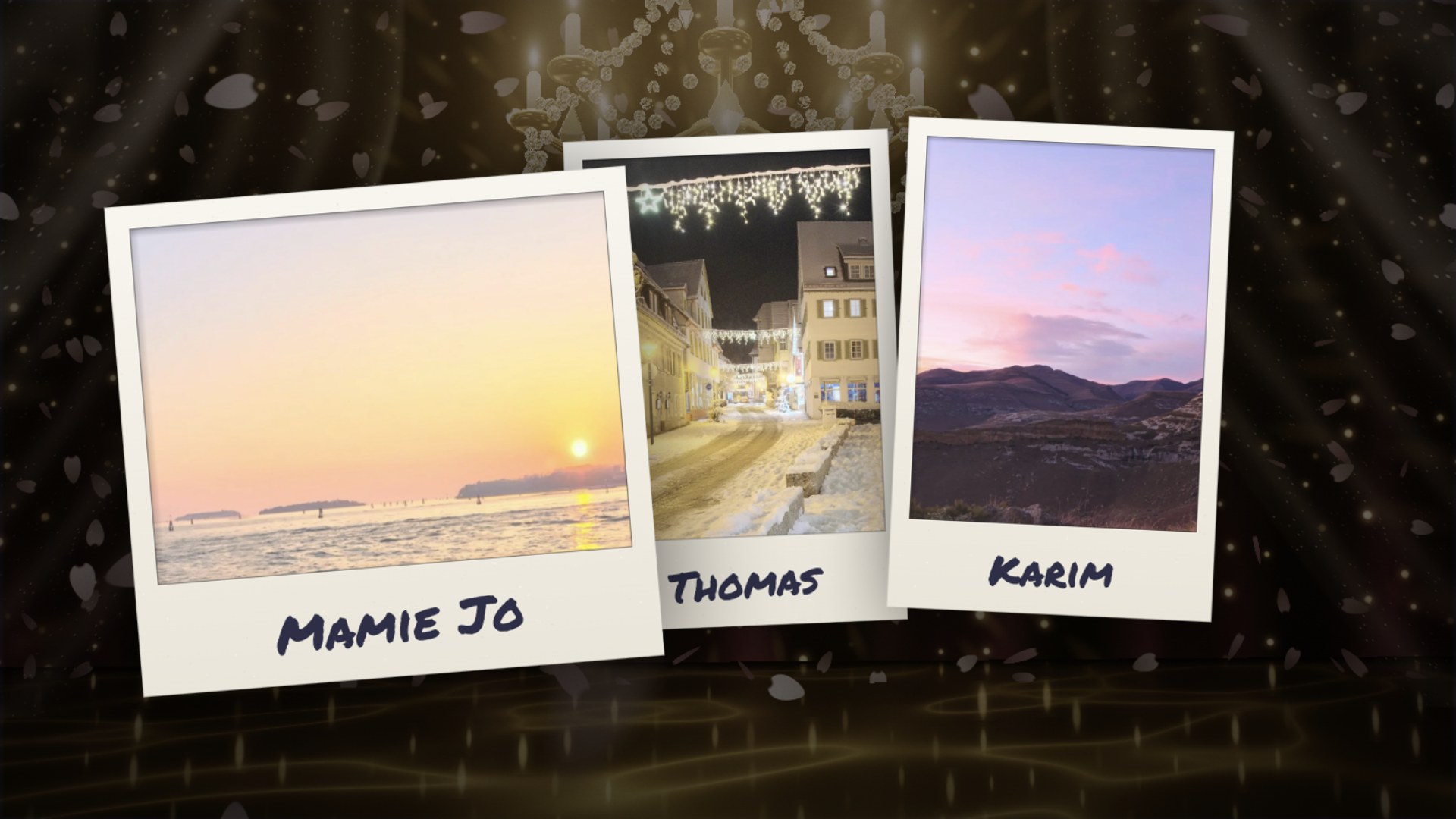
Guests send photos by QR code without installing anything. Nothing reaches the screen without the DJ's approval; an approved photo drops in as a polaroid on the strong beat of the bar, with the guest's first name. Everything is erased when the DJ closes the guest server.
For VJs (Pro plan): layered Composition, 16 effects that follow the bass, mids, highs or tempo, “MIDI learn” on everything, HAP, ProRes and DXV loops locked to the tempo, 4/8/16-bar recording, and the event name exported with transparency for Resolume or OBS.
To be precise
What Meloverse is not
Not a replacement for rekordbox, Serato, Traktor or Resolume. It prepares the night upstream and hands the work over to them; it handles the screen when the DJ has no video tool, alongside the tools they have.
No music included. It plays the DJ's own files (MP3, M4A/AAC, WAV, FLAC, OGG, AIFF); streaming services cannot be played.
No invoicing. It tracks deposits and payments received (Pro plan), without issuing invoices.
HD screenshots
The real screens, no mock-ups
Click an image to open it in high definition. All of them are in the ZIP too, in English and French.
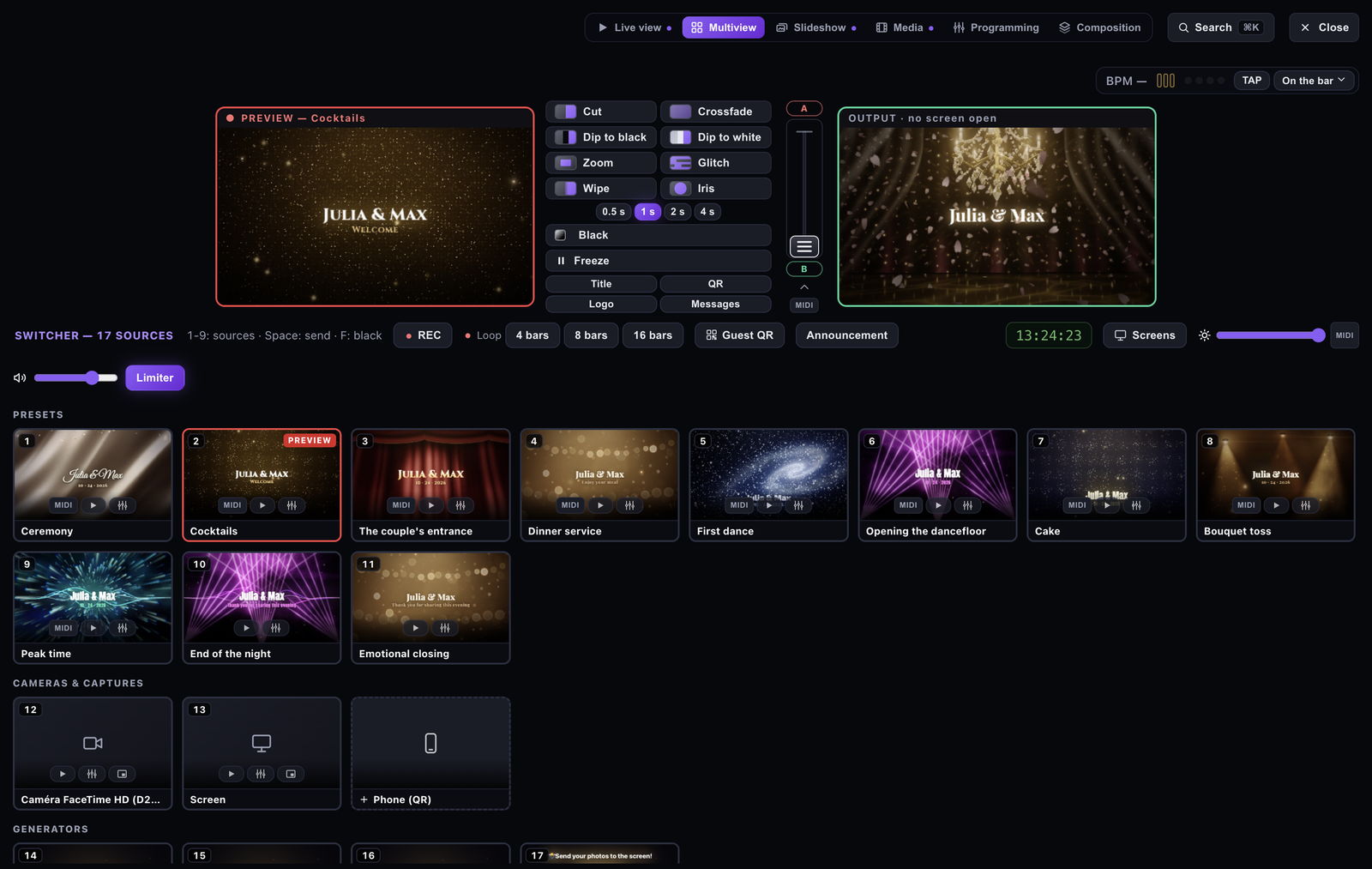
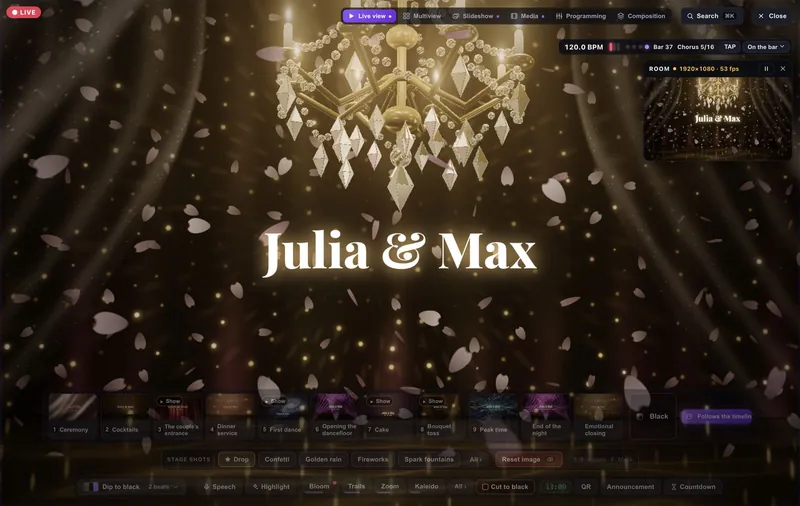
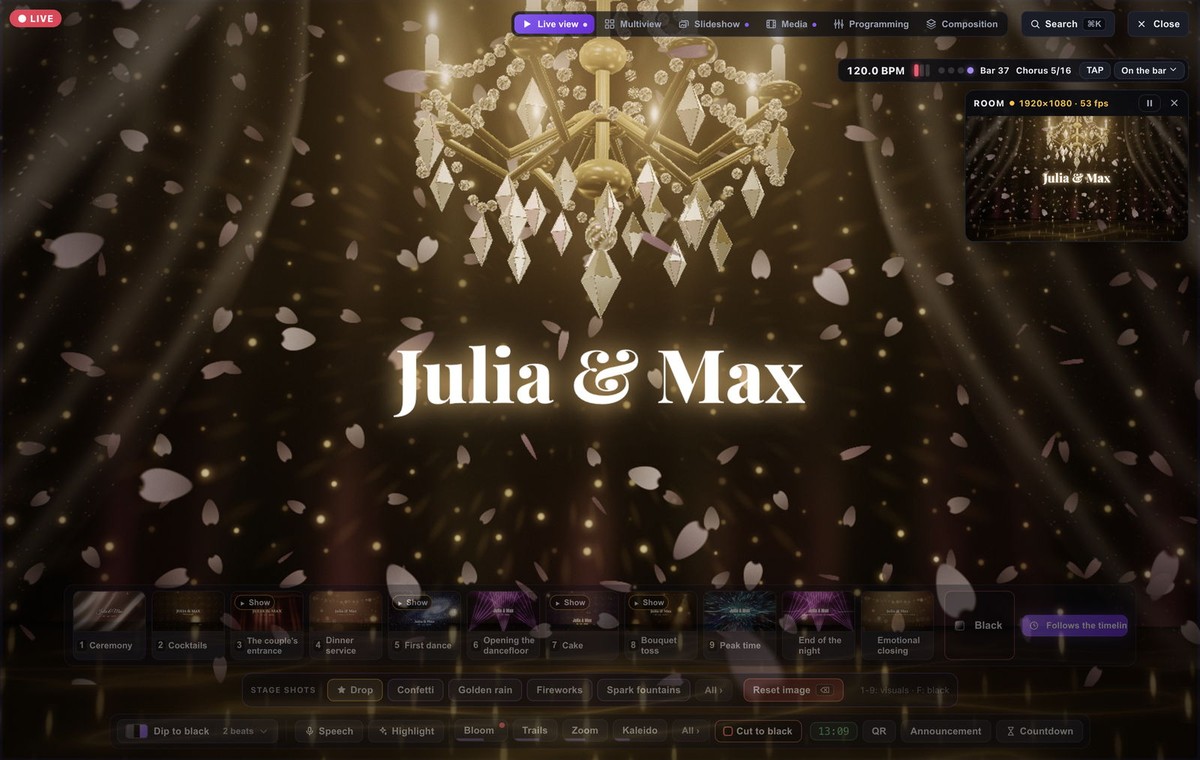
The running order, hour by hourA length and an energy level per moment, all editable. JPG 1600 × 950 · 177 KBPlaylists and the energy curveThe compatibility of every transition, and what is left to find. JPG 1600 × 852 · 126 KBThe Live view, the room screen“Crystal chandelier” scene and the night's presets. JPG 1600 × 1013 · 190 KBThe Multiview switcherPreview and program, presets, cameras, guest QR code. JPG 1600 × 1013 · 162 KBThe grand entranceThe names drawn by the light-drone animation. JPG 1920 × 1080 · 200 KBGuest photosApproved by the DJ, shown as polaroids. JPG 1920 × 1080 · 209 KB
Real screenshots of the software (1.0.7 series), taken in the demo event that ships with the app; crops only, nothing retouched. Track titles and names are demo data: Meloverse includes no music. The “guest photos” in the last screenshot are royalty-free (CC0) landscapes. Free to reproduce to illustrate an article or video about Meloverse DJ Studio — credit: “Meloverse”.
Software for wedding and private-event DJs: hour-by-hour running order, playlists per moment, automix and room-screen visuals.
Long description
Meloverse DJ Studio is Mac and Windows software built for wedding and private-event DJs. From the type of event and its start time, it builds the running order hour by hour (ceremony, cocktails, dinner, first dance, peak time…) and fills each moment with tracks the DJ already owns: the energy curve of the night, a score for every transition (tempo, key, energy) and a list of the tracks still missing. On the night, the automix locks the tempo, keeps keys compatible and lands each transition on the bar; the DJ takes back control at any time.
Meloverse works upstream of DJ software: it exports playlists to rekordbox (.xml), Traktor (.nml) and Serato DJ (.crate), with beatgrid and mix points, and as M3U for everything else. It also drives the screen in the room: audio-reactive visuals, 3D scenes, on-screen light shows with no full-screen flashes, a grand entrance where an animation of light drones spells out the couple's names, a “Cheers to the newlyweds” countdown, and guest photos sent by QR code that the DJ approves one by one before they appear as polaroids.
Analysis, playback and visuals run on the computer: audio files never leave it. Free version for 2 events, no card and no account; Standard and Pro plans by subscription (14-day trial) or as a lifetime licence. Interface in English, French and Spanish.
System requirements
What it needs to run
Mac
macOS 11 Big Sur or later, Apple Silicon (M1 and later) or Intel — one installer per processor, signed and notarised by Apple.
Windows
Windows 10 or 11, 64-bit. The installer is not code-signed yet: SmartScreen flags it on first run (“More info”, then “Run anyway”) without blocking it.
Audio
The DJ's own files: MP3, M4A/AAC, WAV, FLAC, OGG, AIFF. Headphone cueing needs two separate audio outputs (headphone jack and HDMI, or a small USB audio interface).
Internet
Not needed to play. Needed to activate a paid licence, to check it now and then, and for the AI features.
MIDI (Pro)
USB MIDI controller: 45 assignable commands, ready-made mappings for Pioneer DDJs, the AlphaTheta GRV6 and standard 2- or 4-deck controllers.
Hardware
No published minimum for memory or CPU; on a less powerful computer, the app offers to switch the room screen to 720p.
A Pro licence is available to any outlet or creator who wants to test the software: just ask by email. No strings attached, no coverage expected, no review approval requested.