Every part of the night,
in one piece of software.
Meloverse DJ Studio plans your event hour by hour from your own music library, keeps the music going when you step away, and drives the screen in the room. Mac and Windows.
Free version — 2 complete events, no card, no account, nothing to sign up for.
Built for private events, not for clubs
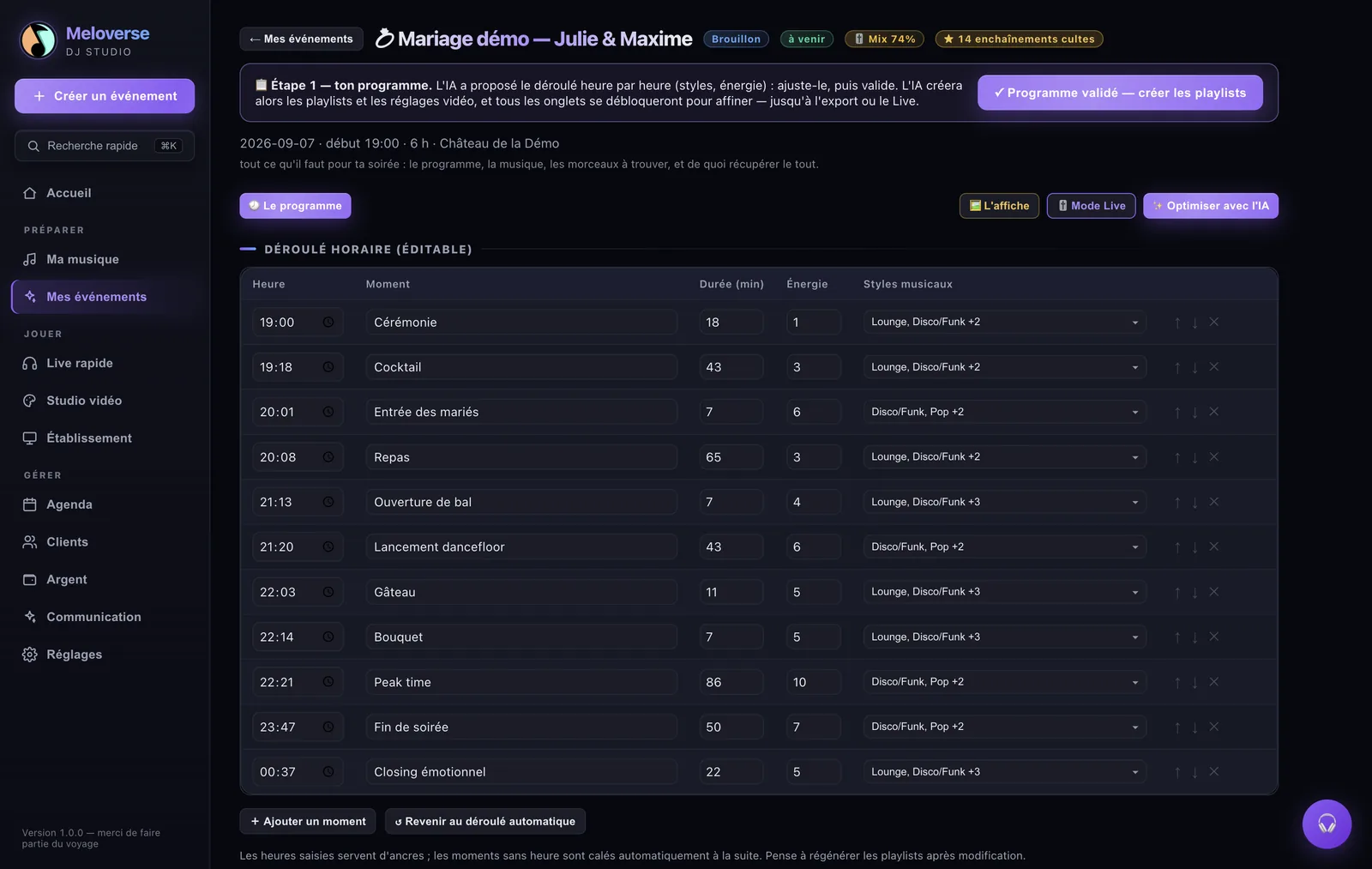
A wedding is not a set. It is a sequence of moments that have nothing in common: arrival, dinner, the first dance, the peak, the slow landing. Sorting tracks by BPM does not know that people eat at 9 pm and jump at midnight.
You describe the event — type, age range, what the couple wants, what they refuse. Meloverse builds the running order hour by hour, using tracks you already own, and tells you plainly which ones you are missing.
It does not replace your booth
Export to rekordbox XML or to a USB stick and mix the way you always have. What changes is the evening before, not the night itself.
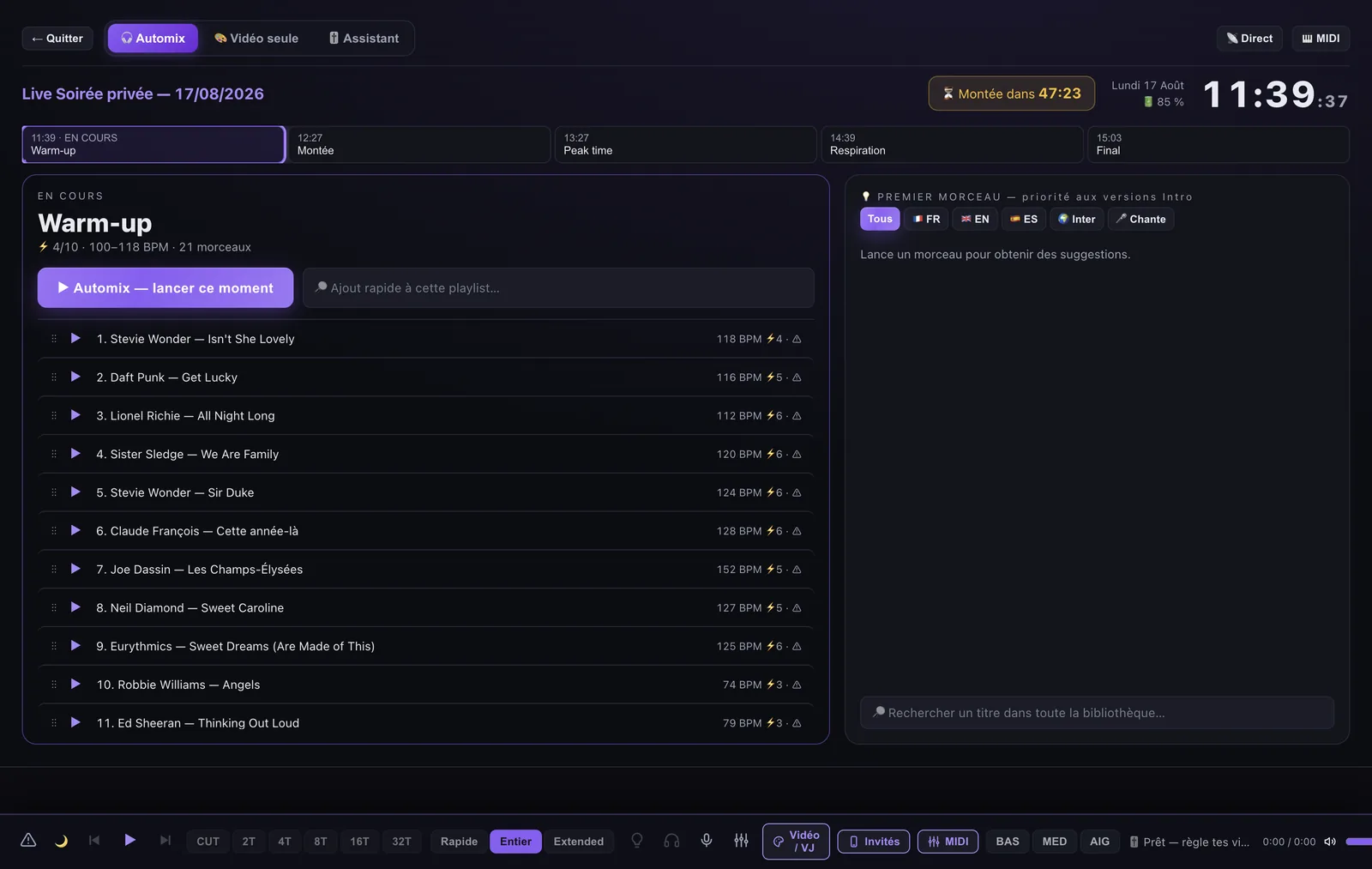
When you step away, the music does not stop
Sample-accurate crossfades, bass swapped on the downbeat, phrase-aware timing. It is a safety net, not an autopilot: you take back control whenever you want.
The room screen, and your guests on it
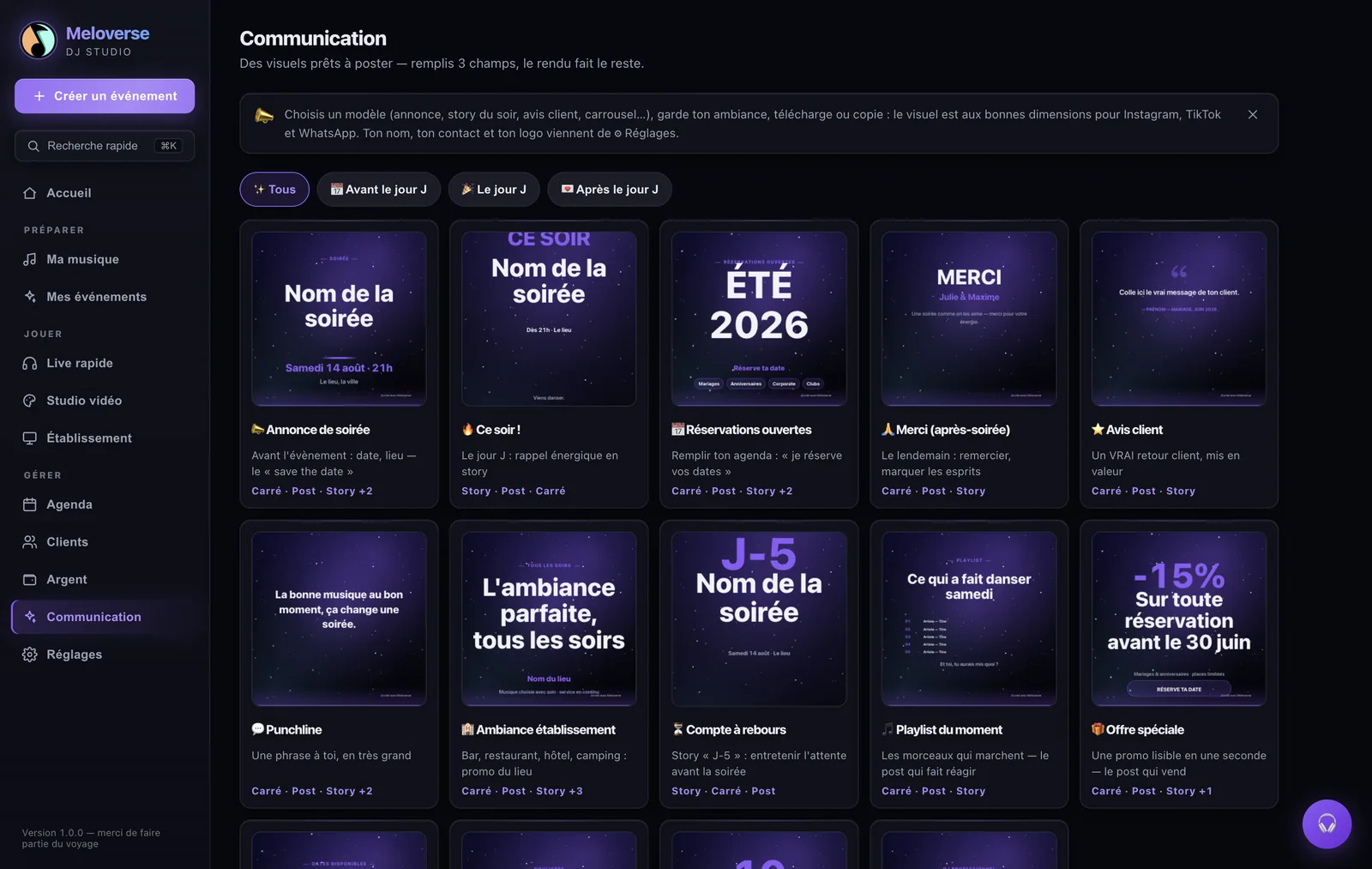
Audio-reactive visuals, the current track, guest messages and photos — from the same app, without a second machine. Guests scan a QR code to send a request, a message or a picture from any phone on mobile data; nothing reaches the screen until you approve it, and everything is erased when the night ends.
Pricing
Free plan — free, no card, no account · 2 complete events.
Standard — €12 / month · €120 / year · €150 once, for life — library, event planning, playlists, live mode, room screen.
Pro — €24 / month · €240 / year · €250 once, for life — adds connected guests by QR code, the full video studio and the business side (clients, quotes, income).
Subscriptions include a 14-day trial, charged only at the end and cancellable in one click. Prices include tax; Lemon Squeezy is the seller of record. Questions: [email protected]
Honest notes before you download
The interface is in English (French and Spanish too — it follows your system,
and you can switch in Settings). Meloverse is made in France by a working event DJ;
a few advanced video-studio panels are still being translated.
The installers are not code-signed yet. On macOS, open the app, click
Close — never “Move to Bin” — then go to System Settings → Privacy &
Security and click Open anyway. On Windows, SmartScreen shows “Windows
protected your PC” → More info → Run anyway. This is normal for an
independent publisher.
Your files stay on your computer. No tracker, no telemetry, no usage statistics.
Ready to try it on your own music?
Two complete events, free. No card, no account.
📖 Also worth reading: the wedding running order, hour by hour — the full schedule, the BPM ranges per moment and the four moments that never happen twice. Useful even without the software.
Questions people actually ask
If I stop the subscription — or stop DJing — do I lose everything?
No. The day your licence stops being valid, the software does not shut down: it falls back to the Free plan, exactly as it would for someone who has just installed it. Your events, your clients, your playlists, your settings and your scenes stay on your disk and stay openable. What switches off are the paid features, and you can no longer create a new event while you already have two on the go. Everything else keeps running: the analysed library, playlists per moment, the automix, headphone cueing, the room screen and the M3U export. Nothing is deleted and nothing is held hostage: come back in two years, paste your key, and it's all there.
Does it work with my gear?
First, the thing to have in mind: Meloverse replaces neither your decks nor your mixing software. It prepares the night; you play where you already play.
On CDJs, a DDJ or any controller with rekordbox, Traktor or Serato: Meloverse exports the playlist of each moment, with the analysis data and the mix in/out points (Standard plan). You open your usual software and everything is already sorted moment by moment.
Playing straight from the laptop: the built-in output is enough. For headphone cueing you need two separate outputs — the headphone jack plus HDMI, or a small USB audio interface; without that Meloverse falls back to a single output on its own and the rest keeps working.
To drive Meloverse from a controller: any USB MIDI controller will do, with ready-made mappings for Pioneer DDJs, the AlphaTheta GRV6 and standard 2- or 4-deck controllers (Pro plan).
Do my files stay on my machine?
Yes — and here is the exact detail rather than a plain “yes”. Analysis, playback, mixing and visuals all happen on your computer: no audio file ever leaves it, on any plan. Your client records and your figures do not leave either.
When you ask the AI to build a night, what is sent is a list in plain text: for each track, the artist, title, year, genre, BPM, key, energy level and language. Nothing else — no audio, no file names, no paths on your disk.
And if you would rather send nothing at all, the “My library” mode builds the running order and the playlists without a single AI call. That is also what the free version does: it never calls the AI.
Subscription or one-off purchase?
Both — your call. Monthly or yearly (with 14 days free), or a one-off purchase: €150 for Standard, €250 for Pro, updates included, nothing to cancel afterwards.
Does the trial need a card?
Yes for the paid plans' 14-day trial: you enter your card to start it, but you are only charged at the end, and cancelling before the end costs nothing.
The Free plan is something else entirely: two events, no card, no account, no expiry. It is the button we put first for a reason.
Does it replace rekordbox, Serato or Resolume?
No, and that is not the point. If you already have those, keep them. Meloverse does the evening before: the running order, the playlists built from the library you already own, and the list of tracks you are missing. Then it hands all of it over to them.
What if it crashes on the night?
Everything you need is already out of the software: the running order and the playlists export as PDF and M3U, so a phone, a USB stick or any other player can finish the night. The music files are yours, on your disk, playable by anything.
I change computers — do I lose everything?
No. Your events, settings and scenes export as a single JSON backup you can re-import on the new machine. Your licence key detaches from the old computer and activates on the new one from Settings → Licence.
Does it work without an internet connection?
Yes for playing the night. A connection is needed for the initial activation, occasionally to check the licence, and for the AI features. Analysis, mixing and visuals all work offline.
Does it work with Spotify, Deezer or Apple Music?
No, and that is deliberate: those services do not allow their streams to be played publicly, and their licences forbid it. Meloverse works on the files you own — anything your computer can read.
My computer shows a warning when I install it — is that normal?
Yes, and it is harmless, on Mac as on Windows. Meloverse is downloaded directly from here and is signed by neither Apple nor Microsoft, so both systems ask for a confirmation — once, on first launch.
🍎 On Mac — launch the app from Applications; macOS shows ““Meloverse DJ Studio” Not Opened”. Do not click “Move to Trash” — the other button closes the window without deleting anything. Then System Settings → Privacy & Security → Open Anyway. Full walkthrough: meloverse.vip/mac.
🪟 On Windows — SmartScreen says “Windows protected your PC” → More info → Run anyway.
Are updates included?
Yes, on every plan, including the one-off purchase. No upgrade fee, no paid major version.